
Imagine a customer emails you an order for eight pallets from Bratislava to Brno. Collection is at 14:00 today and delivery is tomorrow morning. You need a carrier, so you post the load on three exchanges. Ten minutes later the customer calls. The goods will only be ready at 16:00. While you edit the first listing, a carrier calls about the second. They have a lorry available at two. Does the job still work for them?
What you only need to prepare once
Use the customer’s order to prepare one offer for carriers. Include the collection and delivery locations and times, pallet count, total weight and loading requirements. If the order says “ready from 14:00”, keep the word “from”. A carrier fitting the job in after another delivery needs to know whether two o’clock is a booked slot or the earliest possible arrival. Check with the warehouse if a fixed slot is needed.
Read the offer as a carrier would. Is there enough detail to choose a vehicle? If you quote a rate, check that it is the amount you are offering the carrier. Keep the rate agreed with your customer on the customer order. Record which exchanges actually carry the listing so a colleague taking over knows where to look if something changes.
From Moveniq to the exchange
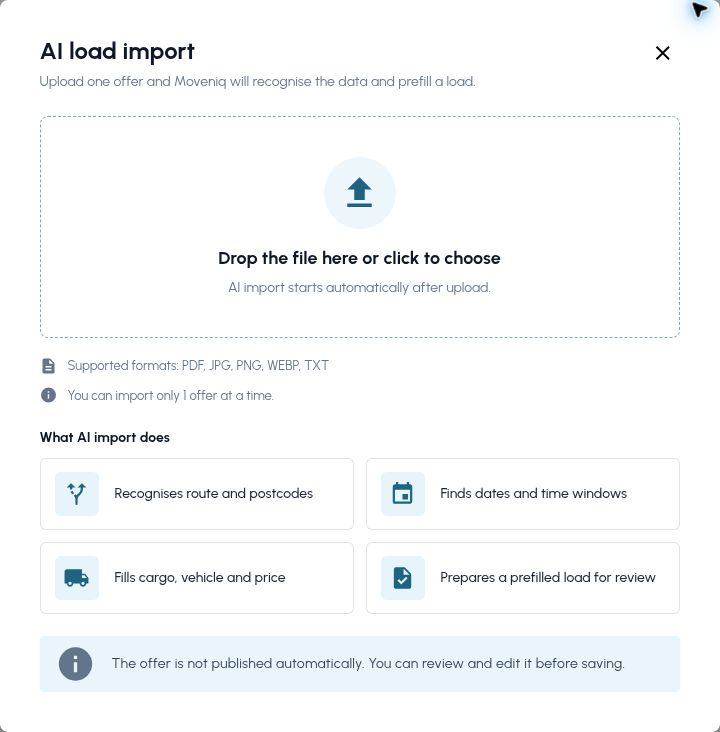
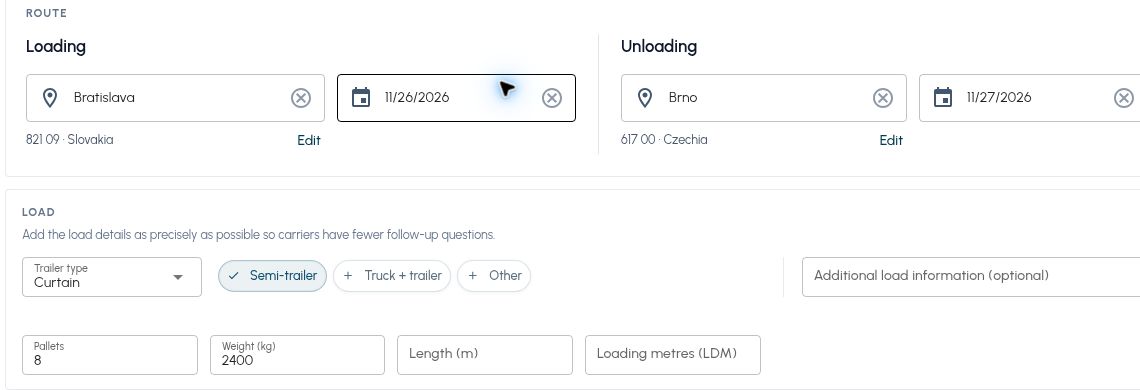
You can forward an order to Moveniq by email or import a PDF, image or text. AI prepares the details for review. For our eight pallets, I would check the addresses, weight and exact collection wording against the original. If the weight is missing, it’s easier to ask the customer now than to answer the same question from three carriers later.
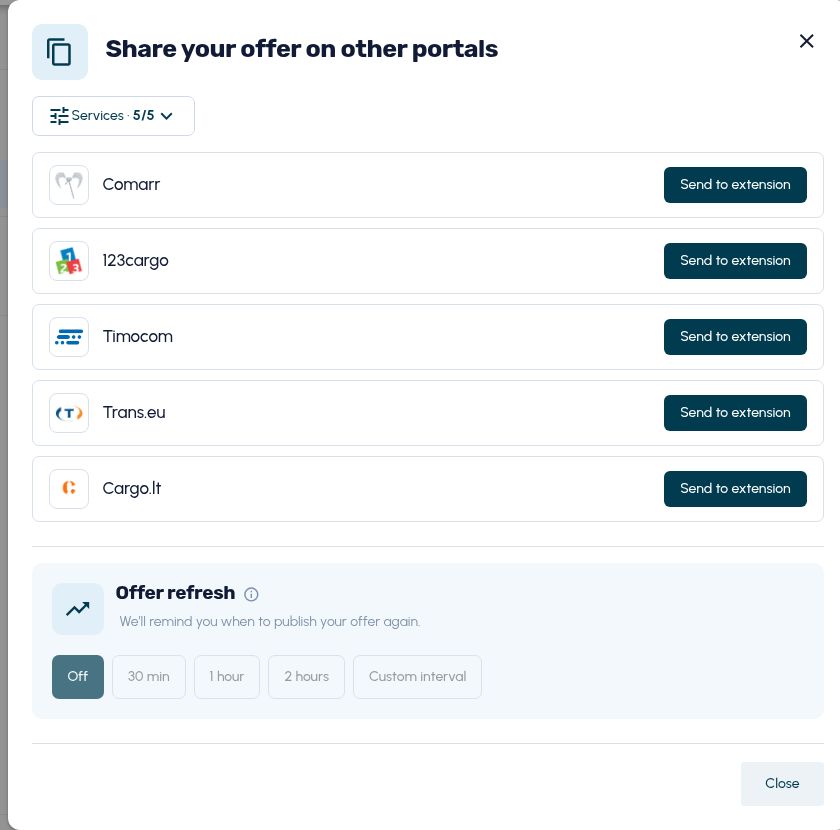
Once the offer is ready, select an exchange and send the details to the Moveniq Bridge extension. In the example, each of the five services has its own button. You can use the same prepared offer for the next exchange. You use your own account on each portal. Check how the details appear in its fields, complete any remaining steps and make sure carriers can see the listing.
When collection moves from 14:00 to 16:00
Back to the customer’s call. First establish whether 16:00 is a booked slot or whether the warehouse can load at any time after four. Update the original offer, then open the live listings on all three exchanges. Read the time a carrier will see on each. Wherever it still says 14:00, correct the live listing and check the result. This works even when exchanges handle changes differently.
Call the carrier who quoted for two o’clock. “The warehouse has moved collection to 16:00. Can you still make tomorrow’s delivery, and does your rate still stand?” You need both answers before confirming the job. A carrier already negotiating with you may never reopen the listing.
How Tirex handles its loads
Tirex prepares offers in its own system and sends them to Moveniq through an API. A team member reviews each offer, makes any necessary changes and uses Bridge to transfer it to the portals the company uses. With dozens of shipments a day, this saves the team from entering the same details repeatedly.