
Imagine a freight forwarder arranging transport for 12 pallets from Bratislava to Munich, with loading on Thursday between 10:00 and 12:00. To reach more carriers, the forwarder publishes the load on several freight exchanges. Each time, they enter the same addresses, pallet count and loading window.
Later, the customer changes the loading window to 14:00–16:00. The forwarder needs to update the published offers, but it is easy to miss one. A carrier may then respond to an offer with outdated information.
A load sharing tool should help reduce this work. But how do you choose one that makes your daily operations easier?
1. Check which freight exchanges the tool supports
Start with the freight exchanges your company actually uses. A long list of supported platforms means little if the tool does not work with your existing accounts or requires you to repeat most of the publishing process manually.
Ask the software provider to demonstrate the connections your company needs. Find out whether additional software, account permissions or configuration are required.
If you are also considering how to reach more carriers when your regular transport partners are unavailable, read our guide to finding carriers beyond your regular contacts.
2. Follow one load through the entire publishing process
Ask for a demonstration using anonymised test data and an agreed test environment to avoid publishing a fictitious load on a public freight exchange.
Use the Bratislava–Munich example. Prepare the load once, select the exchanges and check the resulting offer on each platform. Are the addresses correct? Has the pallet count been transferred correctly? Does the loading window still mean the same thing?
Check whether the forwarder needs to complete missing information, correct transferred details or confirm publication separately. A send button alone does not prove that an offer has been published successfully.
When comparing tools, consider how much manual work is required to turn the same starting information into a correct, usable offer. Count repeated data entry, corrections and verification, not just clicks.
3. Find out what happens when a load changes
Publishing a load is only part of the forwarder's work. Transport details can change, and once a carrier has been found, the remaining offers need to be withdrawn.
During the demonstration, change the loading window from 10:00–12:00 to 14:00–16:00. Ask how the change is handled on each exchange and what the forwarder still needs to do manually.
Repeat the test for withdrawing the offer. Knowing who is responsible for keeping published information up to date helps prevent unnecessary enquiries from carriers.
4. How Moveniq simplifies load sharing
In Moveniq for freight forwarders, the forwarder can prepare and review a load once, then share it across supported freight exchanges without re-entering the entire offer for each destination.
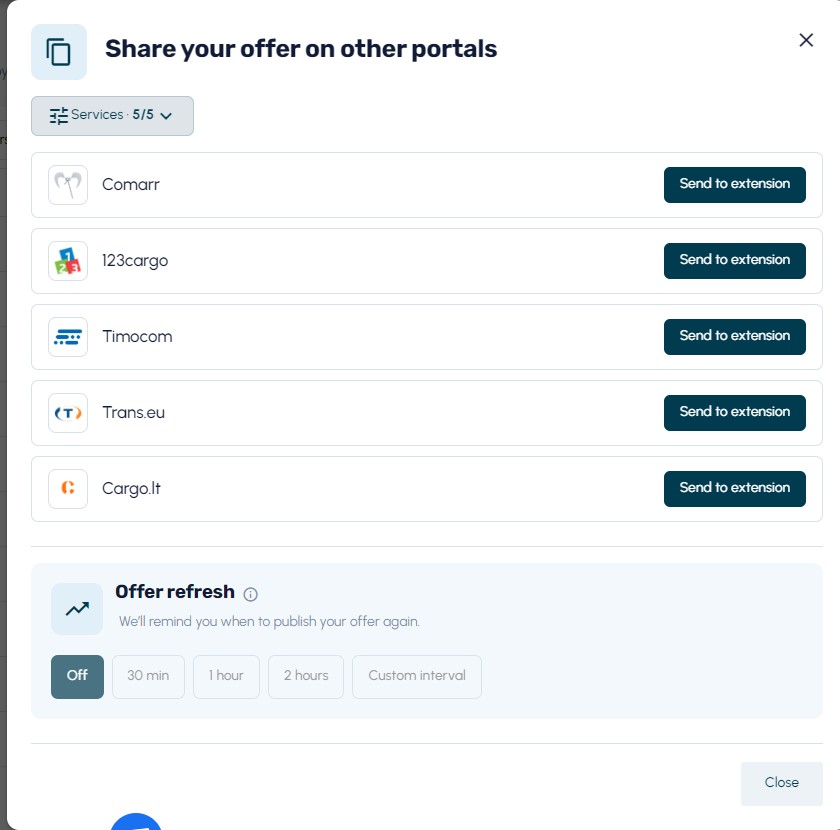
The forwarder chooses where to send the load. Depending on the selected exchange, an appropriate account connection or the Moveniq Bridge extension is required. Each destination has its own sending action.
When evaluating Moveniq or any other load sharing tool, use the same test. The right tool is the one that reduces unnecessary manual work while helping your forwarders publish correct, usable offers on the exchanges they rely on every day.